IntermediateLesson 2 of 69 min read
Generating images that match your idea.
A course from the Academy: Creating with AI: images, videos and ideas
Go to the quiz ↓Anyone can type "a cat" and get a cat. Getting EXACTLY the image you have in your head is a skill. Here it is.
The anatomy of a good prompt
An effective image request covers five elements:
- The subject: who or what, with the details that matter ("a red and white lighthouse on a cliff").
- The style: photorealistic, watercolour, line drawing, minimalist logo, pixel art…
- The mood: golden hour, threatening storm, neon at night, soft mist.
- The framing: close-up, aerial view, wide shot, tight portrait.
- The light: backlighting, soft window light, dramatic spotlight.
Compare: "a lighthouse" versus "photorealistic red and white lighthouse on a cliff, storm in the distance, top-down drone view, post-storm light". Same tool, incomparable results.
The same lighthouse, six prompts
From the second image onwards, only one thing changes each time. The text under each thumbnail is what was added.
 Too short"a lighthouse"
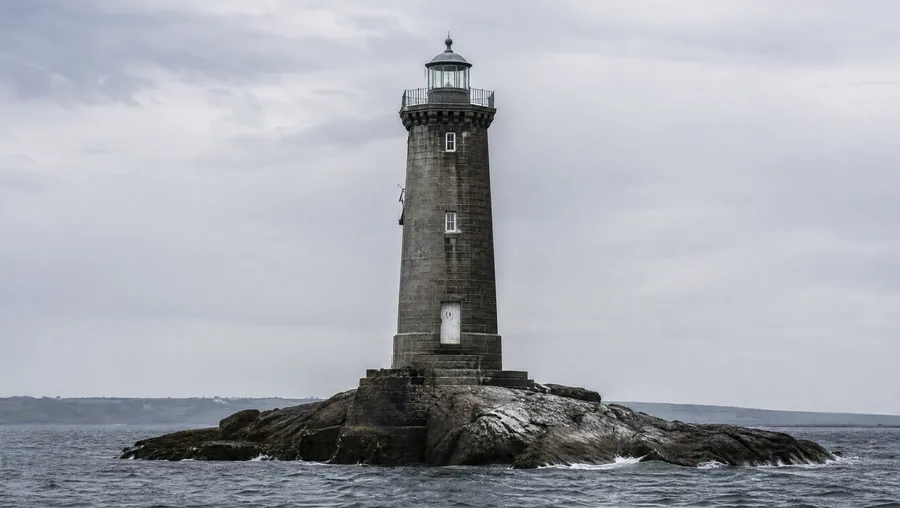 The subject"grey stone, alone on a rock"
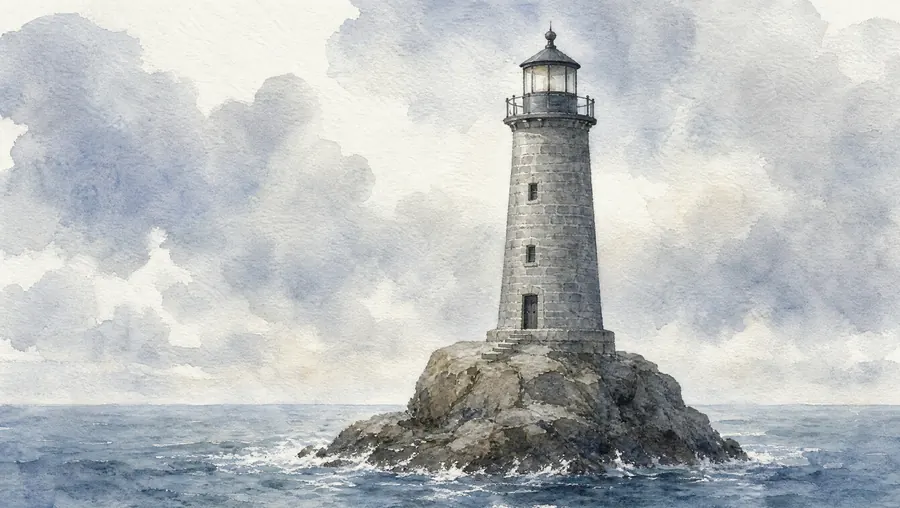 The style"in watercolour"
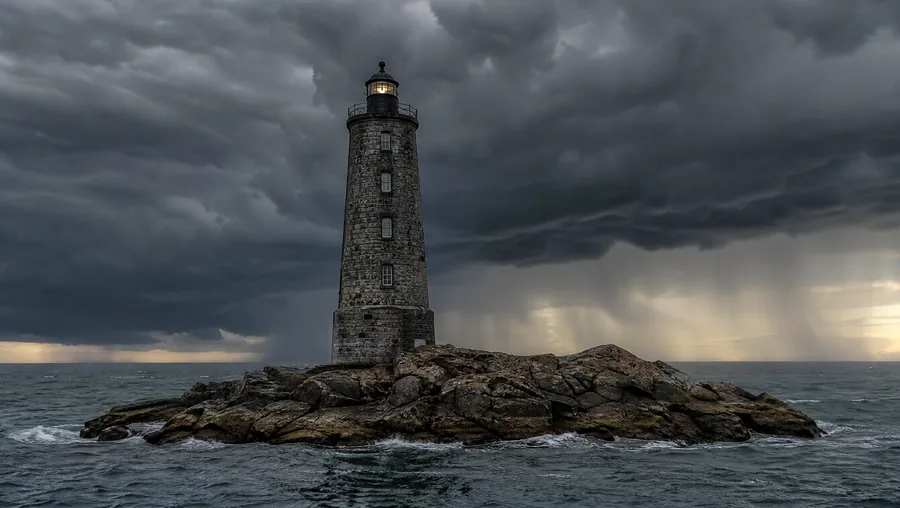 The mood"a threatening storm is approaching"
 The framing"wide aerial view, from a drone"
 The light"backlit, the sun behind the tower"
The next five start from the same subject and move only one slider at a time. That's what lets you know what produced the effect. Change everything at once, and you'll never know which of your five additions worked.
Iterate like a pro
Keep what works, change ONE element at a time: "same image but at night", "more minimalist", "recrop to vertical format". Changing everything on each attempt stops you from understanding what improves or degrades the result.
Classic pitfalls
- Text in the image: the best models of 2026 now get it right, which wasn't true a year ago. For a title or logo, still add the text afterwards with a layout tool: it's no longer about reliability, it's that you want to choose the font to the pixel and be able to correct it without regenerating everything.
- Hands and fine details: always check closely before using.
- Consistency between images: to keep the same character across multiple images, reuse the same character description word for word, or use the tool's reference features.
Key takeaways
- Five elements: subject, style, mood, framing, light.
- Iterate by changing ONE element at a time.
- Beware of text in images and check details closely.
Key concepts
Complete the lesson
A 4-question quiz: 3 correct answers are enough, plus an exercise to practise. It opens in the Academy, on this same lesson.
Take the quiz and complete the lesson Free. With an account, your progress is saved and leads to the course certificate.