IntermediateLesson 3 of 59 min read
Keeping the same character from one shot to the next
A course from the Academy: Creating a video with AI, step by step
Go to the quiz ↓This is the wall everyone hits. Shot 1 is beautiful. Shot 2 is too. But it's no longer the same person, no longer the same coat, and the room has changed windows. The viewer sees it in half a second, even without being able to say why.
Why it happens
Each generation starts from scratch. The model has no memory of the previous shot: it re-reads your description and invents someone who matches it. Yet "a brunette woman in her forties" describes millions of different faces. The model picks one at random, and another for the next shot.
Four prompts run separately
It's no longer the same person. Not the same face, not the same hair.
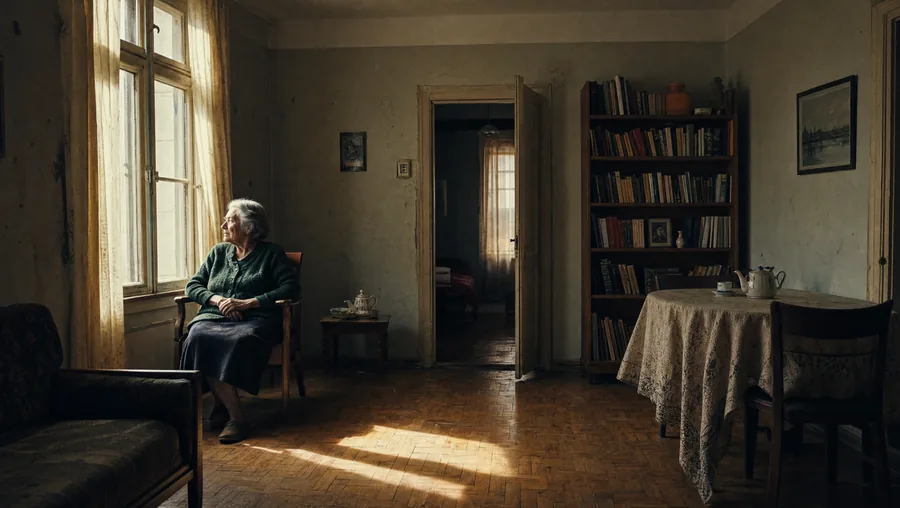 Shot 1independent prompt
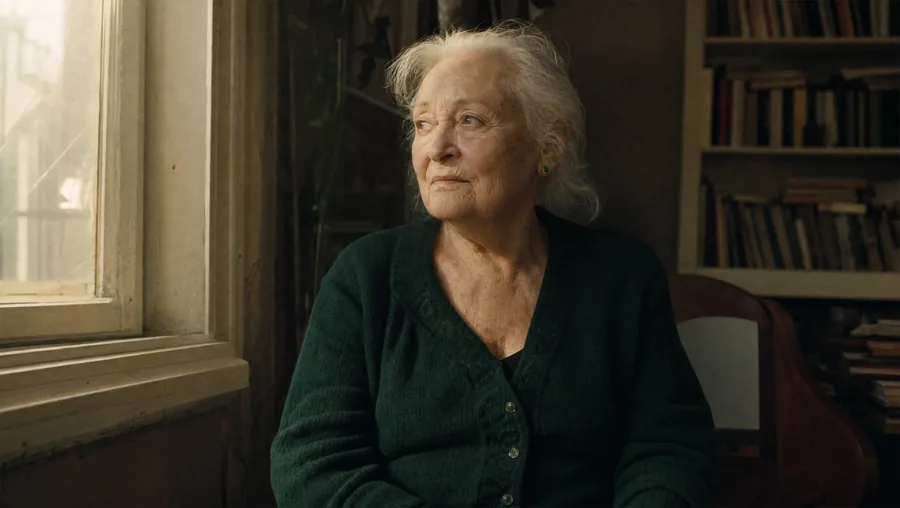 Shot 2another face, another hair
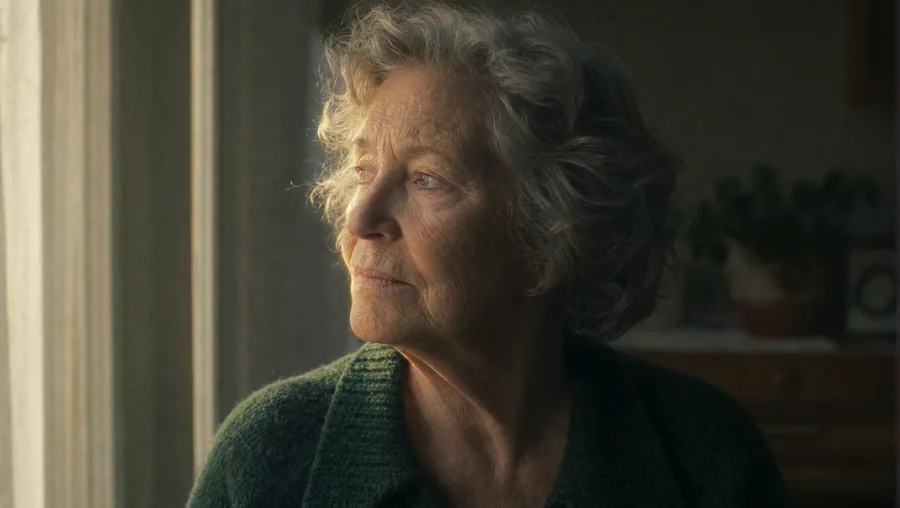 Shot 3yet someone else
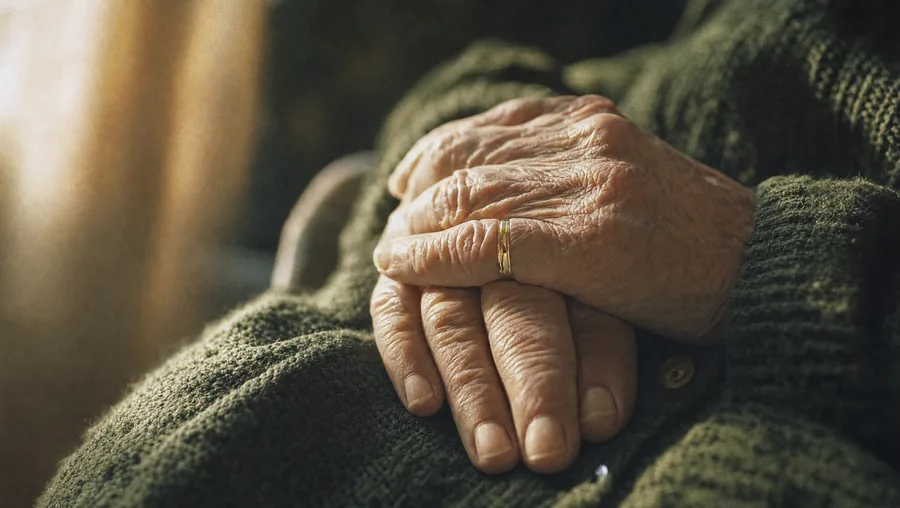 Shot 4a hand that doesn't match
The same shots, generated one by one
Each image serves as a reference for the next. The person holds.
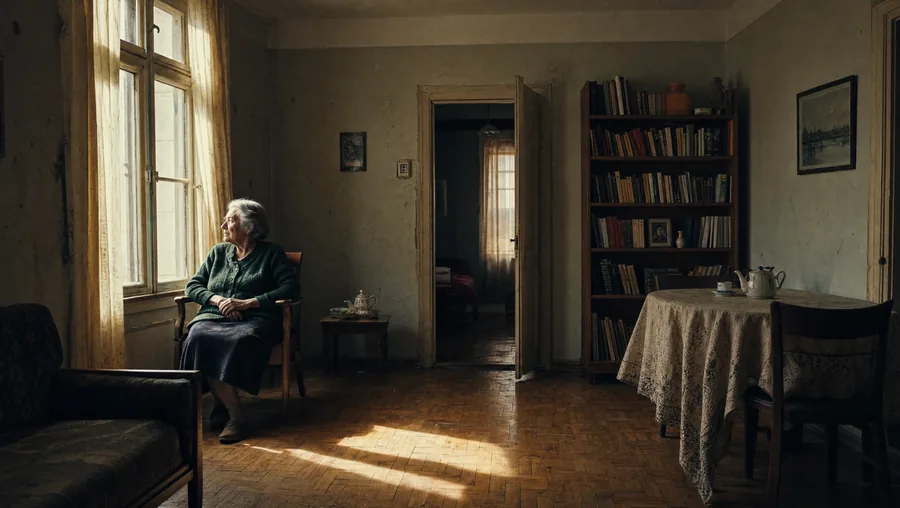 Shot 1serves as reference for the next
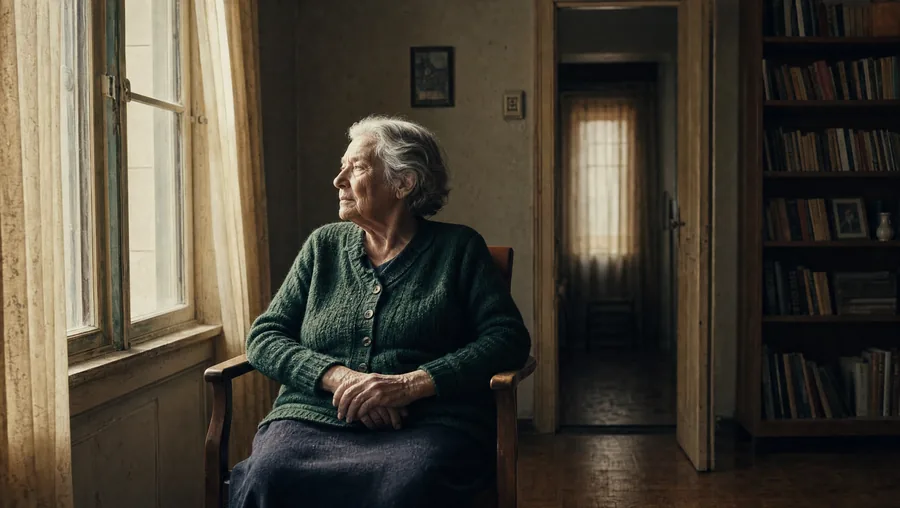 Shot 2reference: shot 1
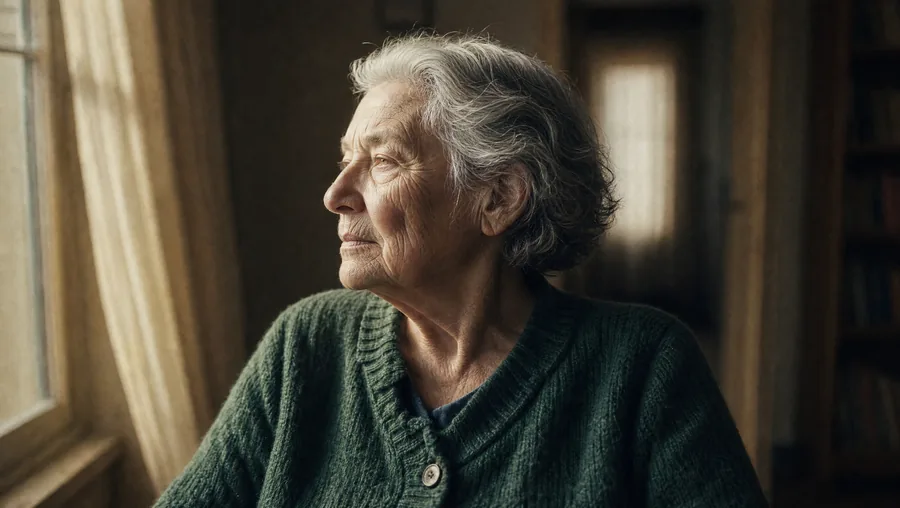 Shot 3reference: shots 1 and 2
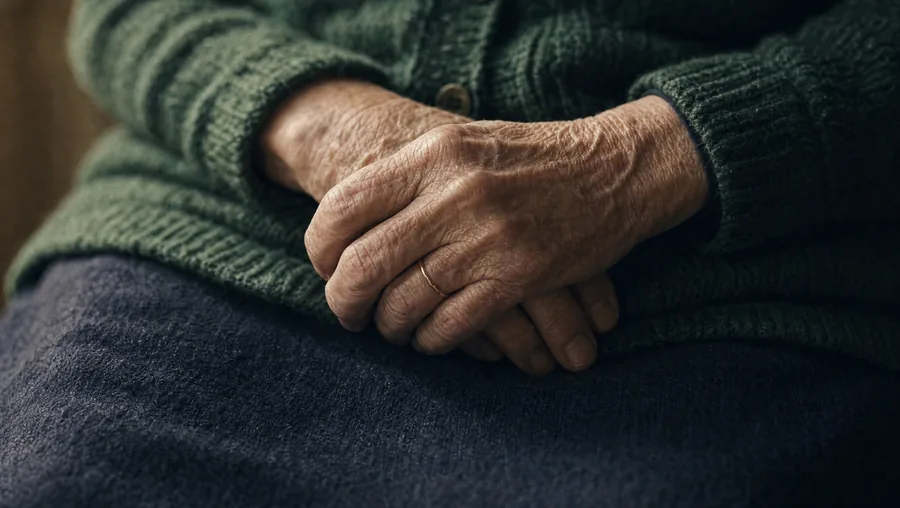 Shot 4reference: the three previous ones
The close-up of the hands had to be redone. With a single reference, the hands didn't end up in the position shown two shots earlier, and they rested on the green wool instead of the skirt. Redone with three references, it matches.
The three methods, from least to most reliable
1. Describe obsessively identically. You copy the same description paragraph word for word into each shot, without changing a comma. It helps a bit. It's never enough.
2. The reference image. Most tools accept being given an image of the character to reuse. It's clearly better, and that's where the essentials are decided today. The face holds, the clothes still drift.
And above all: give SEVERAL. A single reference image only shows one angle, one framing, one moment. Everything else, the model has to guess, and it guesses badly. By giving it three or four already validated shots, you leave it little left to invent.
The detail that betrays is almost never the face, by the way. It's the position of the hands, a garment that changes place, an object set elsewhere. On a close-up of hands, you need to both say what position they're in AND provide the reference where you see them: otherwise the model reinvents one, plausible and with no connection to the previous shot.
3. Generate all the images first, animate afterwards. This is the method that really works. You produce the full set of stills, correcting until the character is the same everywhere, and only then do you animate them one by one. You solve the consistency problem where it's easy to see and cheap to fix, on stills, instead of discovering it in videos already paid for.
The director's workaround, and it's better than all three
Don't show the face. Shoot from behind, in silhouette, against the light, in close-up on the hands, on an object being held, on the feet walking. You recognise a character by their red coat and their gait far more than by their features.
This isn't a fallback: advertising and music videos have been doing it for fifty years, and for the same reason, it's more elegant and costs less. The technical constraint pushes you toward finer writing. Might as well take advantage of it.
What we forget, and which shows as much as a face
- The light. A shot at the end of the day followed by a shot at noon breaks the scene instantly. Repeat the lighting indication in every shot.
- The location. Describe the room with the same elements each time, floor, walls, what's behind.
- The colour grading. Two correct shots but one cold and one warm don't match. It can be fixed in editing, with one adjustment.
To do right away: go back through your shot list and mark those where a face is visible. For each one, ask yourself whether the shot would work from behind, in close-up on a detail, or in silhouette.
Complete the lesson
A 4-question quiz: 3 correct answers are enough, plus an exercise to practise. It opens in the Academy, on this same lesson.
Take the quiz and complete the lesson Free. With an account, your progress is saved and leads to the course certificate.The course: Creating a video with AI, step by step
- What it can do, and what it still gets wrong8 min
- Write a plan like a director of photography.9 min
- Keeping the same character from one shot to the next9 min
- Why so many AI videos sound off8 min
- Publishing: formats, subtitles and credits8 min